The Madden NFL 26 Superstar mode not working after the newest title update is a widespread issue.
Many players report crashes, infinite loading, missing career progress, or the mode refusing to launch at all. This Superstar mode bug usually happens because the update didn’t refresh progression data, leaving old save logic conflicting with the new patch.
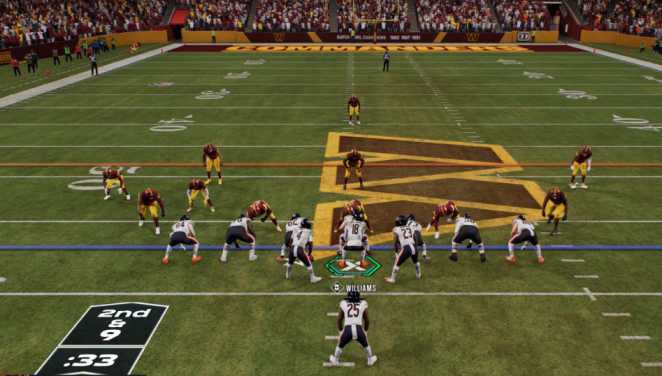
Quick Fix
Force the game to rebuild Superstar save metadata by clearing corrupted profile data. If Superstar mode still won’t load, use the fixes below.
Fix 1: Refresh Superstar Progression Files (Most Common Fix)
Superstar mode often breaks because the update didn’t sync old save files with the new patch. Refreshing progression files forces Madden NFL 26 to rebuild your Superstar data.
Steps:
- Go to Settings → Profile.
- Delete the local Superstar save only (NOT roster or profile settings).
- Restart Madden NFL 26.
- Launch Superstar mode again.
Testing Step:
Check if the Superstar menu loads without freezing.
Root Cause:
Old progression data conflicts with the updated Superstar logic.
Fix 2: Rebuild Madden Profile Data to Fix Broken Mode Loading
Corrupted profile settings can prevent Superstar from launching after title updates. Rebuilding the profile resets menu logic.
Steps:
- Go to Profile → Load/Delete.
- Delete profile settings (not cloud saves).
- Relaunch the game.
Testing Step:
Try opening Superstar again.
Root Cause:
Profile containers from previous patches block Superstar initialization.
Fix 3: Disable Cloud Saves Temporarily
Cloud saves sometimes override fixed local data with broken old files. Forcing local-only data helps Superstar load fully.
Steps:
- Disable cloud save sync in Xbox/PS5/EA App settings.
- Open Madden again.
- Start Superstar mode.
Testing Step:
If Superstar launches, cloud sync was the issue.
Root Cause:
Cloud save reinstalls broken pre-patch Superstar data.
Fix 4: Repair or Verify Game Files
The most recent title update has missing Superstar assets on some installs. Repairing restores the missing mode data.
Steps:
- EA App: Manage → Repair
- PlayStation: Settings → Verify Game Data
- Xbox: Manage Game → Verify/Repair
Testing Step:
Load Superstar after repair.
Root Cause:
Missing Superstar UI and logic files block the mode.
Fix 5: Rebuild Console Database (PS5/Xbox)
System database corruption can prevent Superstar from loading. Database rebuild forces Madden to reload all mode files cleanly.
Steps (PS5):
- Boot into Safe Mode.
- Select Rebuild Database.
Steps (Xbox):
- Hold power button 10s.
- Clear cache.
Testing Step:
Launch Superstar again.
Root Cause:
Console-side file indexing fails after large Madden updates.
Fix 6: Switch Superstar Mode to Offline Save Format
Two intro lines: The Madden NFL 26 Superstar mode not working bug often comes from corrupted online save containers after a title update. Switching to an offline-only Superstar file forces Madden to rebuild fresh logic.
This quickly restores loading for players stuck on broken online progression.
Steps:
- Go to Settings → Profile.
- Disable Online Saves / Cloud Sync.
- Start a new Offline Superstar file.
- Try launching your original save afterward.
Testing Step:
If the new offline file loads instantly, your old online container was blocked.
Root Cause:
The patch broke online Superstar metadata that must be rebuilt offline.
Fix 7: Change Default Roster to Force Superstar Logic Reload
Two intro lines: Superstar mode depends on the roster version you have loaded. After updates, stale rosters can stop Superstar from launching completely.
Reloading roster data forces Madden NFL 26 to refresh Superstar mode scripts.
Steps:
- Go to Settings → Rosters/Playbooks.
- Load the Latest Official Roster.
- Back out and restart the game.
Testing Step:
Open Superstar—if it now loads, roster mismatch was blocking initialization.
Root Cause:
Old roster data references outdated progression fields that Superstar no longer supports.
Fix 8: Delete the Superstar Autosave Only
Two intro lines: Many players find that the autosave file, not the main save, is what corrupts Superstar mode. Deleting ONLY the autosave forces the mode to rebuild cleanly.
This is one of the most reliable workarounds after title updates.
Steps:
- Open Profile → Load/Delete Files.
- Delete the Superstar Autosave file only.
- Keep your main Superstar save.
- Relaunch the mode.
Testing Step:
If Superstar starts normally, the autosave was corrupted.
Root Cause:
Autosave contains broken progression pointers from pre-patch logic.
Fix 9: Switch to a Different Game Mode and Return
Two intro lines: Sometimes Madden NFL 26 doesn’t initialize Superstar scripts until you load another mode first. Loading Franchise or MUT forces required assets to register.
Returning to Superstar afterward often fixes loading, crashes, and frozen menus.
Steps:
- Launch Franchise and enter a save.
- Back out to the main menu.
- Try Superstar again.
Testing Step:
If Superstar loads without hanging, script initialization was the issue.
Root Cause:
Superstar dependencies don’t load unless another major mode triggers shared assets.
Fix 10: Reinstall Superstar-Related Game Packs (EA App Only)
Two intro lines: On PC especially, Superstar mode can break if its game pack did not update fully during the last title patch. Reinstalling only that content repairs the mode without reinstalling the whole game.
This restores Superstar UI, logic files, and animation assets.
Steps:
- EA App → Manage Game.
- Open Installed Content / Add-on Packs.
- Uninstall only Superstar Mode Pack (or Career pack equivalent).
- Reinstall it.
- Start the game.
Testing Step:
Open Superstar—if it finally enters the mode, missing pack files were the cause.
Root Cause:
The title update partially installed Superstar assets, leaving the mode nonfunctional.
Does Superstar crash immediately when loading, or only after selecting your player?
If it crashes immediately, the issue is usually with the mode’s base files or a broken patch.
If it crashes after selecting your player, it’s almost always tied to corrupted profile data or a bad Superstar save.
Players often see:
- Instant crash = mode-level failure
- Post-selection crash = character data conflict
- Delayed crash = missing assets or load-order errors
Knowing the exact moment helps narrow whether the mode can’t initialize at all, or if your player file is the trigger.
Has it been unstable since launch, or only after certain updates?
Most players report Superstar becoming unstable after specific title updates, not since launch.
Patches often break progression modes because they modify menus, rewards, or archetype logic.
Common patterns people see:
- Stable at launch → broken after mid-season update
- Crashes increase after roster or balance patches
- Small hotfixes sometimes fix it temporarily
If yours started after one update, you’re dealing with a patch-induced corruption, not a long-standing bug.
Does Superstar work offline, or does it fail everywhere?
If it works offline but fails online, the issue is usually tied to:
- Server-side sync
- Player card verification
- Progression/contract data
If it fails both online and offline, the files on your system are likely corrupted.
Players often find:
- Offline-only success = network or account sync bug
- Offline also crashing = broken local Superstar assets
Testing both modes is one of the fastest ways to identify whether it’s local or server-dependent.
Are certain positions or archetypes causing more freezes?
Yes—some positions trigger more instability, especially after patches that adjust ratings or animations.
Examples players report:
- QB/Playmaker builds freezing on load
- WR/Speed archetypes failing during cutscenes
- Defensive builds breaking after animation updates
If your specific archetype is affected, it’s likely an animation or progression-tree conflict, not a global Superstar crash.
Does rebuilding your profile or deleting old saves help?
For some players, yes—rebuilding your profile forces the game to reload Superstar logic.
But results vary.
What players have seen:
- Deleting old saves fixes corrupted legacy data
- Rebuilding helps when load-order is broken
- Neither works if the patch itself broke Superstar
If deleting or rebuilding changes nothing, the issue is not your saves—it’s the mode’s backend files or a broken update.